Smarter voice notes for everyday tasks
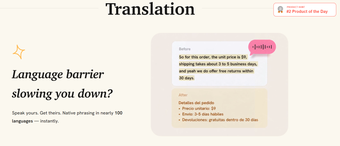
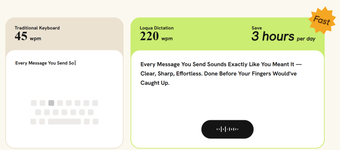
Loqua is a free AI productivity tool that works like a smarter voice input for notes. It doesn’t just type whatever it hears. Instead, it organizes your words into clean, readable notes, so you don’t have to worry about saying everything perfectly or using full sentences.
Loqua is versatile and comes in handy in plenty of situations. You can use it to quickly jot down ideas and random thoughts, take notes during meetings, or record observations when researching. You can simply talk naturally, and it can make sense of rough thoughts as you go.
More than just basic voice typing
One thing that makes Loqua different from basic speech-to-text tools is how well it handles rough notes. It can recognize fillers, repetitions, and other parts of speech that don’t have to be written. This is particularly useful for fleeting thoughts that might be easy to forget if you don’t write them down immediately. Writers, for example, can use it to quickly capture ideas for articles, newsletters, and other content while they’re still fresh.
Once the note has been created, you can also review and edit it by dictating what you want changed. You can ask it to rewrite something more concisely, turn your notes into action items or a task list, or shape them into an update that’s ready to copy and paste into Slack, Teams, or email. You can also specify the style and tone you want.
Beyond note-taking, this tool can help you understand what’s on your screen through its Capture to Ask feature. There’s no need to take a screenshot. If you’re looking at a graph, diagram, spreadsheet, or other visual that you need help understanding, you can capture it and ask the AI about it directly. However, the free version has weekly limits for voice typing and Capture to Ask. For heavier use and additional features, users need to get the premium version.
A handy option when you’d rather just talk
Overall, Loqua is a useful option for anyone who often needs to capture ideas, notes, or observations quickly without stopping what they’re doing. Its ability to turn natural, messy speech into organized notes makes it more convenient than basic voice typing. Capture to Ask is another practical addition, although the weekly limits on the free version may be restrictive for frequent users.